Understanding this, call, apply, and bind in JavaScript
One of the most confusing topics for beginners in JavaScript is the this keyword.
But the idea can actually be understood with a very simple rule:
this refers to the object that is calling the function.
You can think of it as answering the question:
“Who is calling this function?”
What Does this Mean in JavaScript?
The value of this depends on how a function is called.
Example:
function show() {
  console.log(this);
}

show();
Here, this refers to the global object (in browsers it is window).
The important point is:
this is determined by the caller of the function.
this Inside an Object
When a function is inside an object, this refers to that object.
Example:
let person = {
  name: "Gagan",
  greet: function() {
    console.log("Hello " + this.name);
  }
};

person.greet();
Output
Hello Gagan
Explanation:
The object
personcalled the functionSo
thisrefers toperson
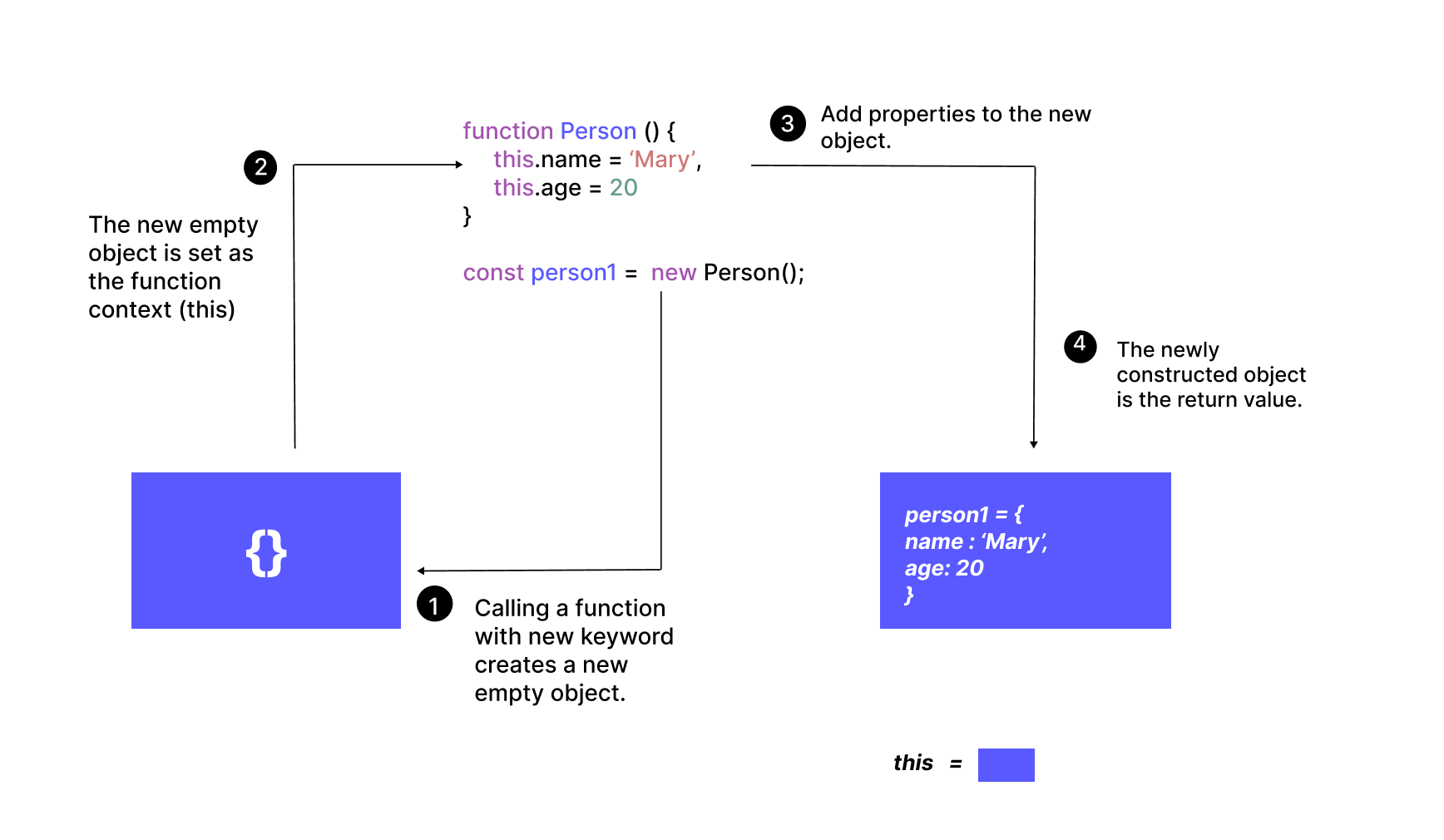
Function Caller Relationship


4
Explanation:
Function → called by → object
The calling object becomes this
What Does call() Do?
call() allows you to manually set the value of this.
Example:
function greet() {
  console.log("Hello " + this.name);
}

let person = {
  name: "Gagan"
};

greet.call(person);
Output
Hello Gagan
Even though the function is not inside the object, we used call() to make this refer to person.
Passing Arguments with call()
Arguments are passed individually.
Example:
function introduce(city) {
  console.log(this.name + " from " + city);
}

let person = { name: "Gagan" };

introduce.call(person, "Delhi");
Output
Gagan from Delhi
What Does apply() Do?
apply() works the same as call().
The difference is how arguments are passed.
Arguments are passed as an array.
Example:
function introduce(city, country) {
  console.log(this.name + " from " + city + ", " + country);
}

let person = { name: "Gagan" };

introduce.apply(person, ["Delhi", "India"]);
Output
Gagan from Delhi, India
What Does bind() Do?
bind() creates a new function with a fixed this value.
It does not run immediately.
Example:
function greet() {
  console.log("Hello " + this.name);
}

let person = { name: "Gagan" };

let greetPerson = greet.bind(person);

greetPerson();
Output
Hello Gagan
Here:
bind()returns a new functionthat function remembers the value of
this
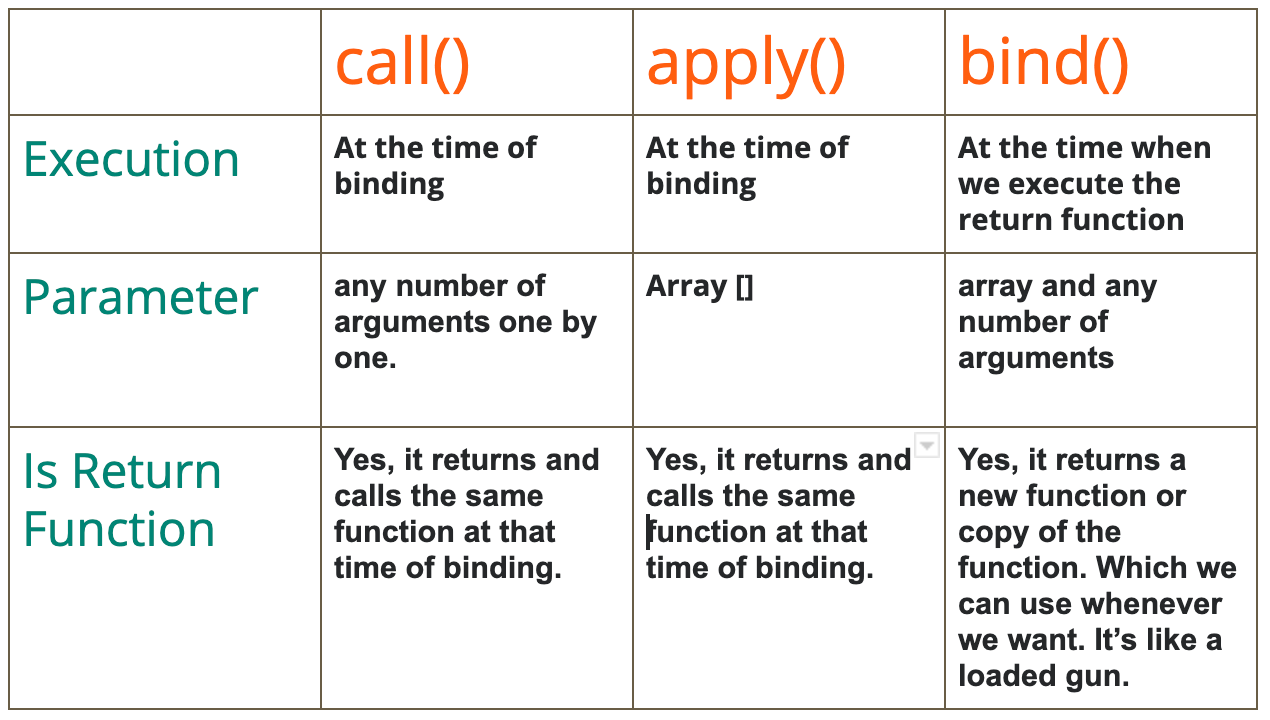
Difference Between call, apply, and bind
| Method | Execution | Arguments |
|---|---|---|
| call() | Executes immediately | Passed individually |
| apply() | Executes immediately | Passed as array |
| bind() | Returns new function | Passed individually |
Example summary:
func.call(obj, a, b)
func.apply(obj, [a, b])
func.bind(obj)
Visual Comparison

4
Practical Example
let person = {
  name: "Rahul"
};

function greet(city) {
  console.log(this.name + " from " + city);
}

greet.call(person, "Mumbai");
Output
Rahul from Mumbai
Practice Assignment
1 Create an Object with a Method
Example:
let user = {
  name: "Amit",
  showName: function() {
    console.log(this.name);
  }
};
2 Borrow the Method Using call()
Example:
let anotherUser = {
  name: "Rohit"
};

user.showName.call(anotherUser);
3 Use apply() with Array Arguments
Example:
function introduce(city, country) {
  console.log(this.name + " from " + city + ", " + country);
}

let person = { name: "Amit" };

introduce.apply(person, ["Delhi", "India"]);
4 Use bind()
Example:
let boundFunction = introduce.bind(person);

boundFunction("Delhi", "India");